
Double-Tipped Stylus, Stylus Pen for Touchscreen, High Sensitivity, Magnetic Caps, Stylus Pen for iPhone, iPad, Android, Galaxy Microsoft,Chromebook Tablet,Compatible with Capacitive Touch Screen




Price: $12.99 - $9.99
(as of Feb 05, 2026 05:52:08 UTC – Details)

Product description

Perfect as a Christmas, birthday, back-to-school, or office gift, this 2-pack touchscreen stylus is sure to delight your family and friends.


1 Dual-tipped Stylus Pen
2 Highly Sensitive Pen Tips
3 Transparent Disc Tip
4 Magnetic Pen Caps
5 Comfortable to write

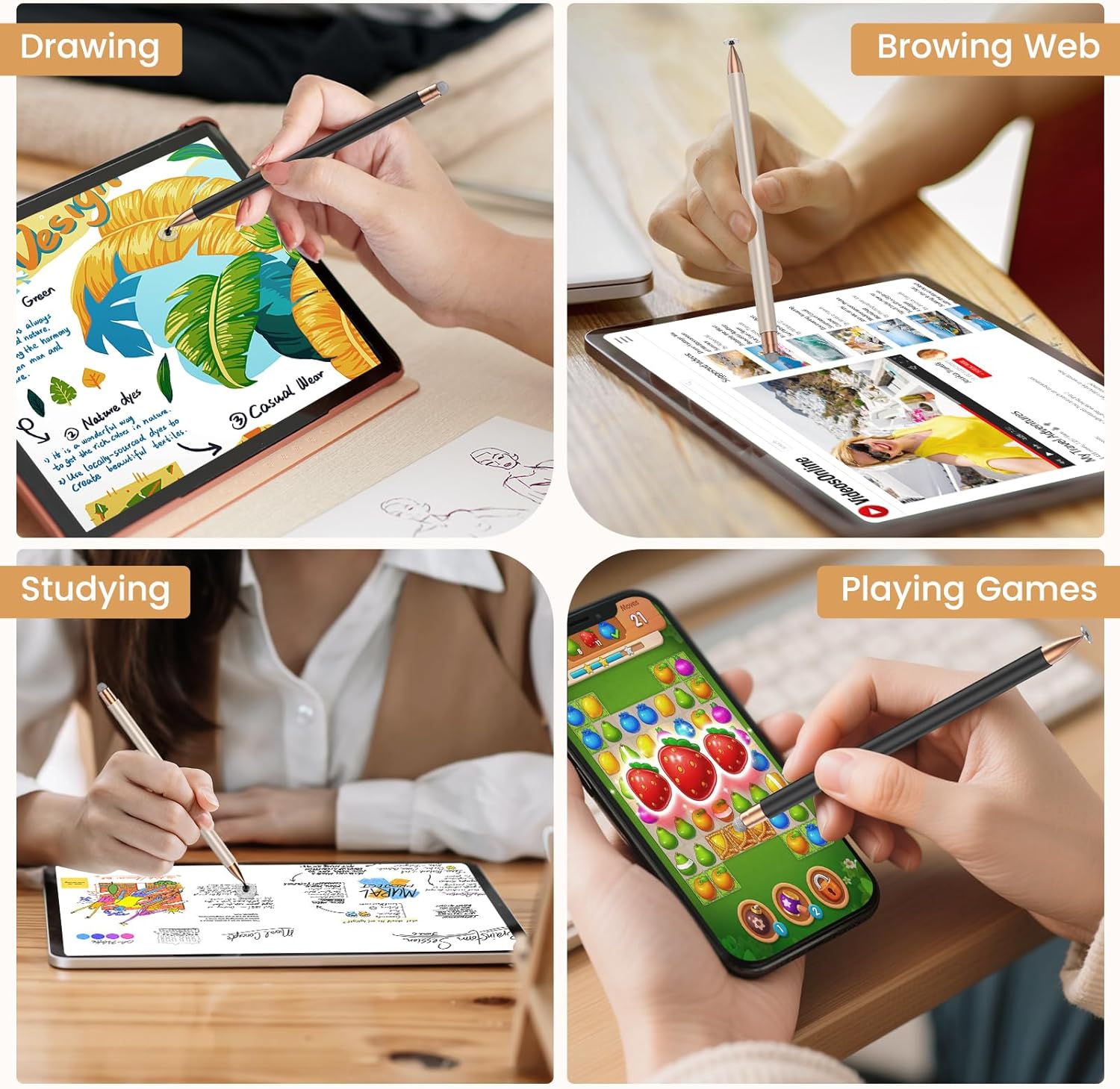
Perfect for Daily use- your best stylus partner for writing and drawing


What if the stylus pen for ipad doesn’t work on the iPad?
Start by disconnecting your Apple Pencil from your iPad. Also, check if the app has an Apple Pencil-exclusive switch—if so, turn that off. For any questions regarding this stylus,please message us on Amazon.
Will these stylist pens for touch screens scratch my screen?
Normally, our stylus pens won’t cause any scratches on a touch screen, however, we suggest you use a screen protector to protect your screen from possible damage or scratches.
Why doesn’t this stylus work on Goodnotes?
Please reset your app first as follows:
Click “Stylus&Pam rejection” on the top right corner–Find “Smart Stylus”- choose “None”, then you can use this stylus to write or draw
Why doesn’t this stylus work on Notability?
Please reset your app first as follows:
Click “Info” on the top right corner–Find “Apple Pencil:”- choose “Disconnect”, then you can see it change to Apple Pencil: Start writing to connect, now you can use the stylus to write or draw.
Which devices can use these tablet stylus pens?
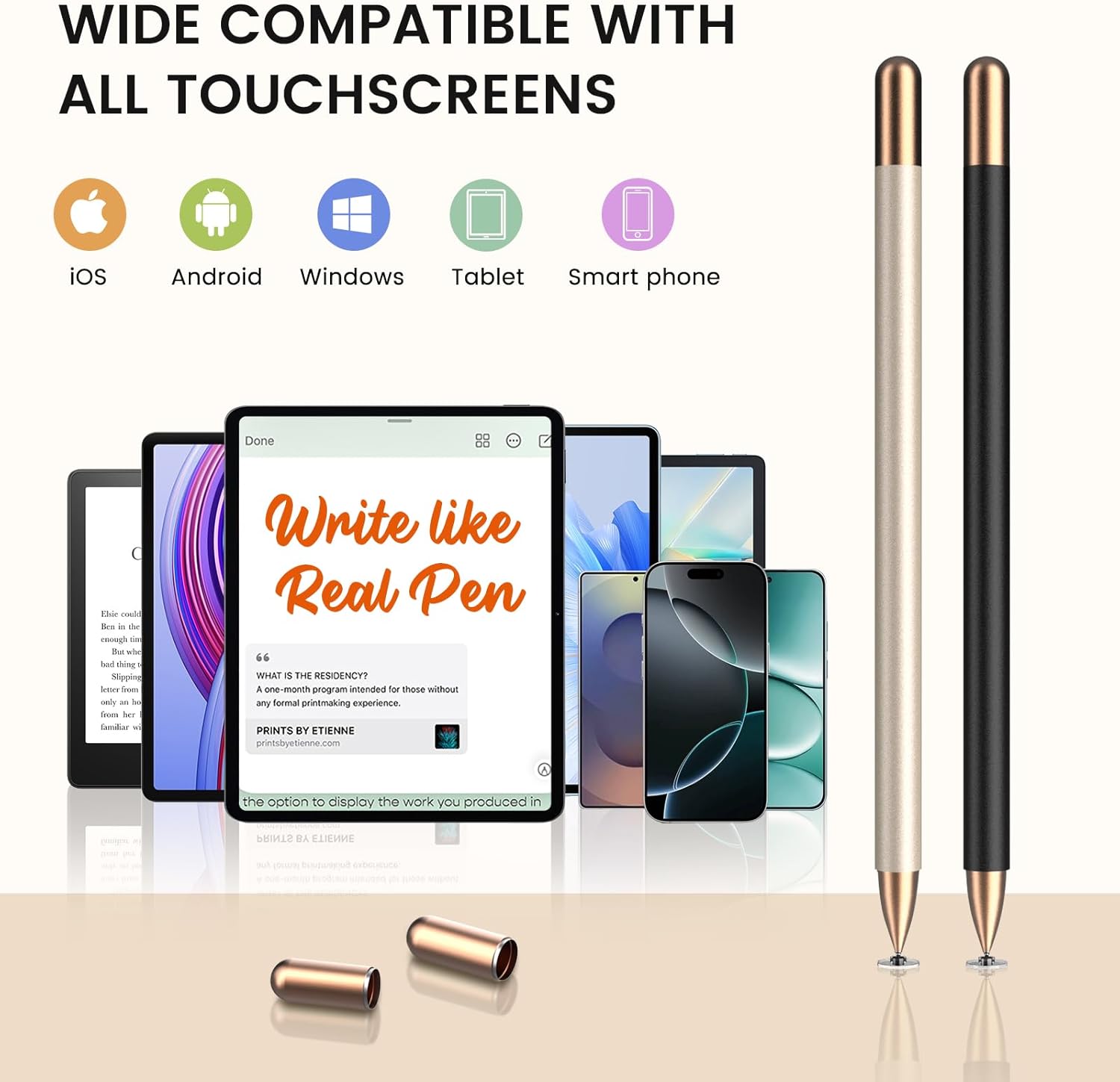
These tablet pen is compatible for all touchscreens, such as phone, ipad, tablet, etc, you also can test: if your finger can move the icons on your devices, then these styluses also work too.
Stylus Pens for Touch Screens: This universal stylus pen is compatible with iPhone, iPad, Microsoft Surface, Smart Phones, Chromebook and all touchscreens, no Bluetooth connection or charging required. Simply pick it up and start writing or drawing.It’s efficient to use in class, adults working, and seniors navigating their devices
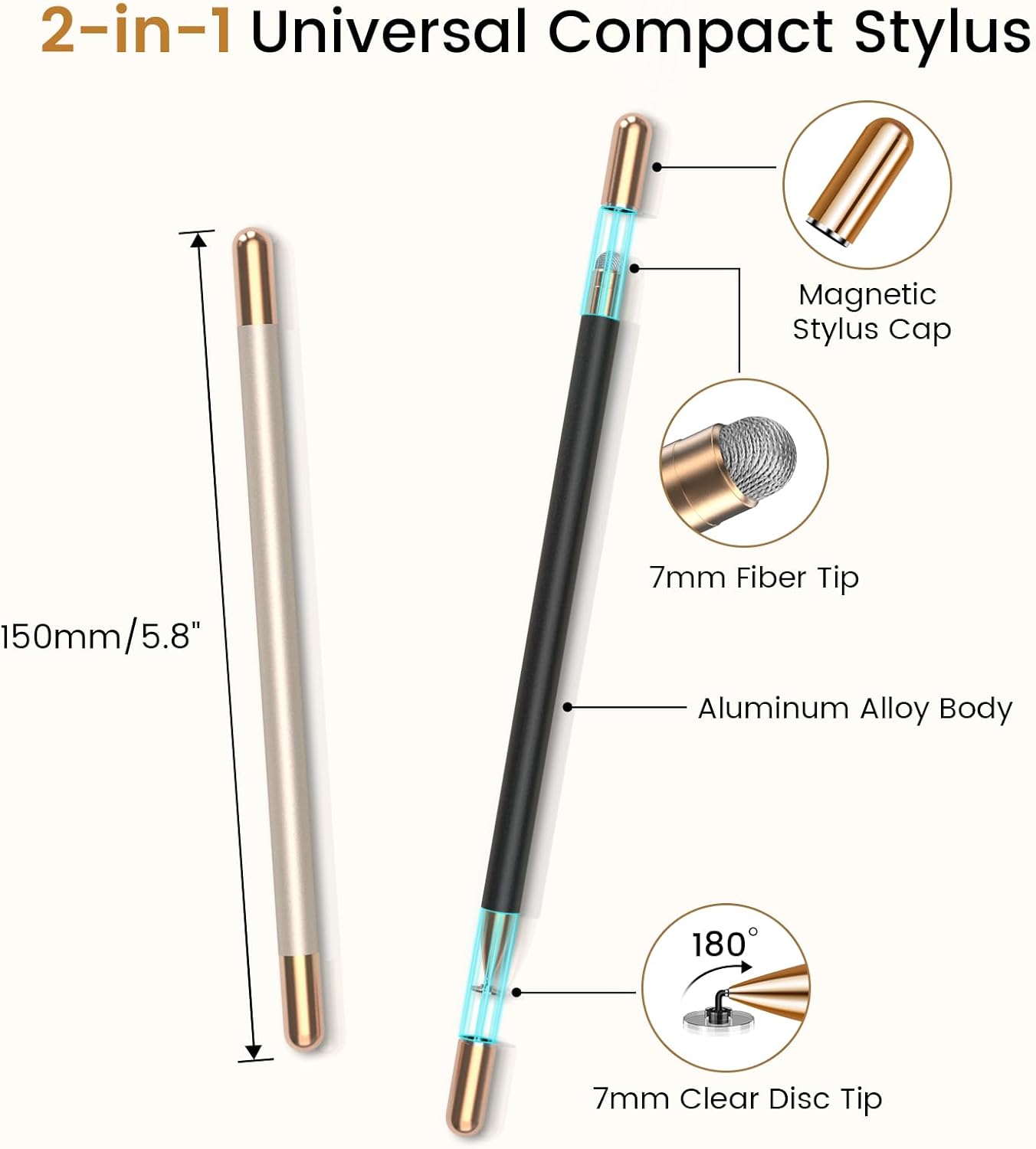
Magnetic Cap for Touch Screen Pen : Do you still have to look for your stylus cap everywhere? No!Two caps magnetically attach to both ends of the phone or Ipad stylus pen, optimally protecting both tips from damage and loss
Dual Tips with High Sensitivity: This stylists pens for touch screens features a dual-sided design with a 0.27″ disc tip and a 0.27″ fiber tip, offering two distinct writing experiences. Whether you’re writing, drawing, gaming, or note-taking, achieve greater precision with ease
Your Hand’s Perfect Match: The touch screen pen is made of lightweight alloy, very comfortable to hold, letting you write for hours without strain. Plus, it is ideal for gifting or outfitting the whole family
Package Includes: 2-Pack Stylus pens, 2 Extra Disc nibs and 2 Fiber Tips, 1 User Guide


