
Stylus Pen for iPad (2025-2018), Fast Charge Pencil for iPad A16 11th/10/9/8/7/6 Gen, Air M3 & M2 2024 11″/13″/5/4/3th, Pro M4 M5 11″/13″/12.9″, Mini A17 Pro 7/6/5, Palm Rejection, Tilt Sensitivity




Price: $16.99 - $12.27
(as of Mar 01, 2026 05:10:41 UTC – Details)

Product description


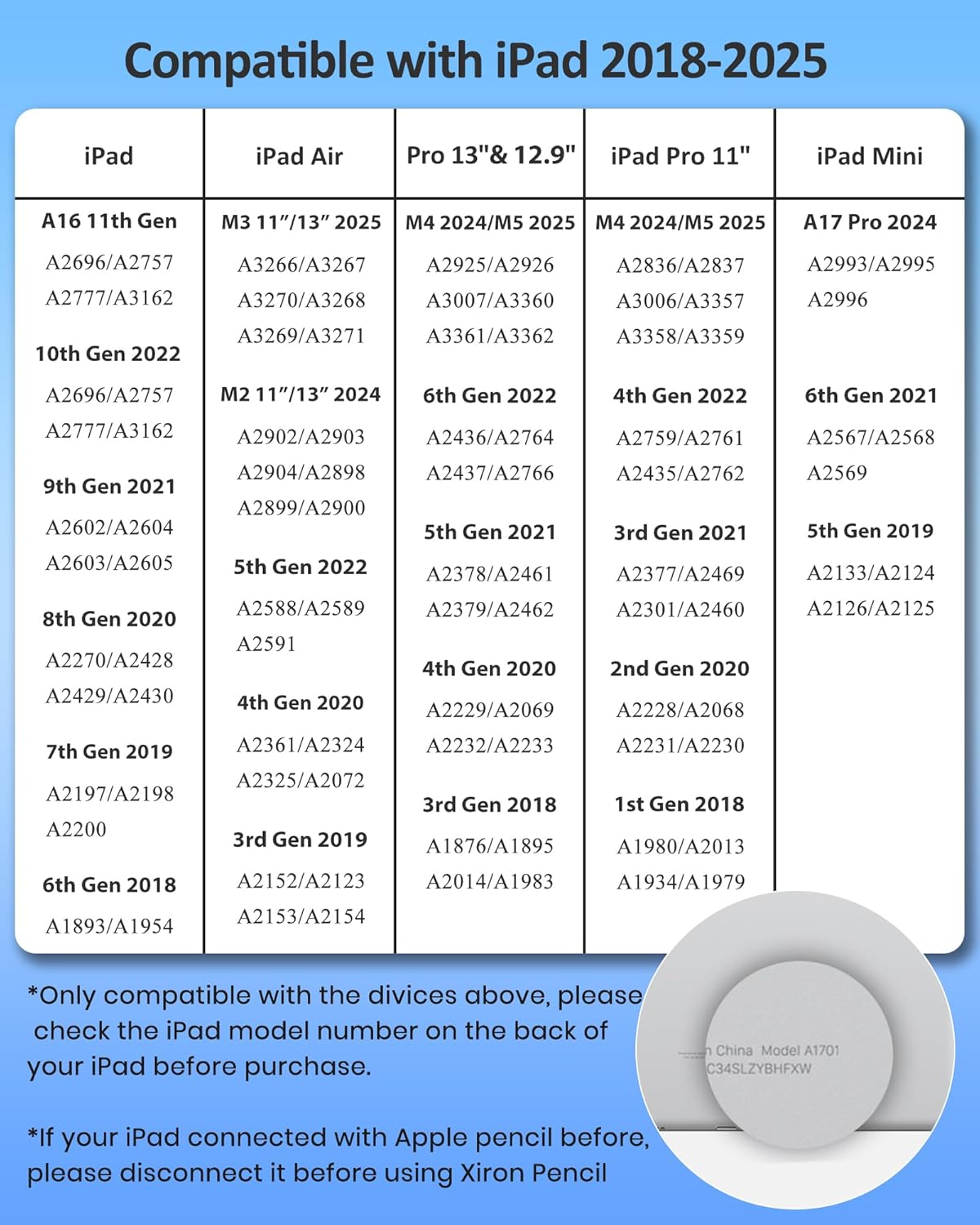
NOT COMPATIBLE WITH MODEL BEFORE 2018:
iPad Pro 9.7″: A1673/A1674/A1675
iPad Pro 10.5″: A1701/A1709/A1852
iPad Air 1-2 Gen: A1474/A1475/A1476/A1566/A1567
iPad Pro 12.9″ 1-2 Gen: A1584/A1652/A1670/A1671/A1821
iPad mini 1-4 Gen: A1432/A1454/A1455/A1489/A1490/A1491/A1599/A1560/A1538/A1550
iPad 1-5 Gen: A1219/A1337/A1395/A1396/A1397/A1416/A1430/A1403/A1458/A1459/A1460/A1822/A1823
NOT WORK WITH iPhone, Android, Microsoft Devices.

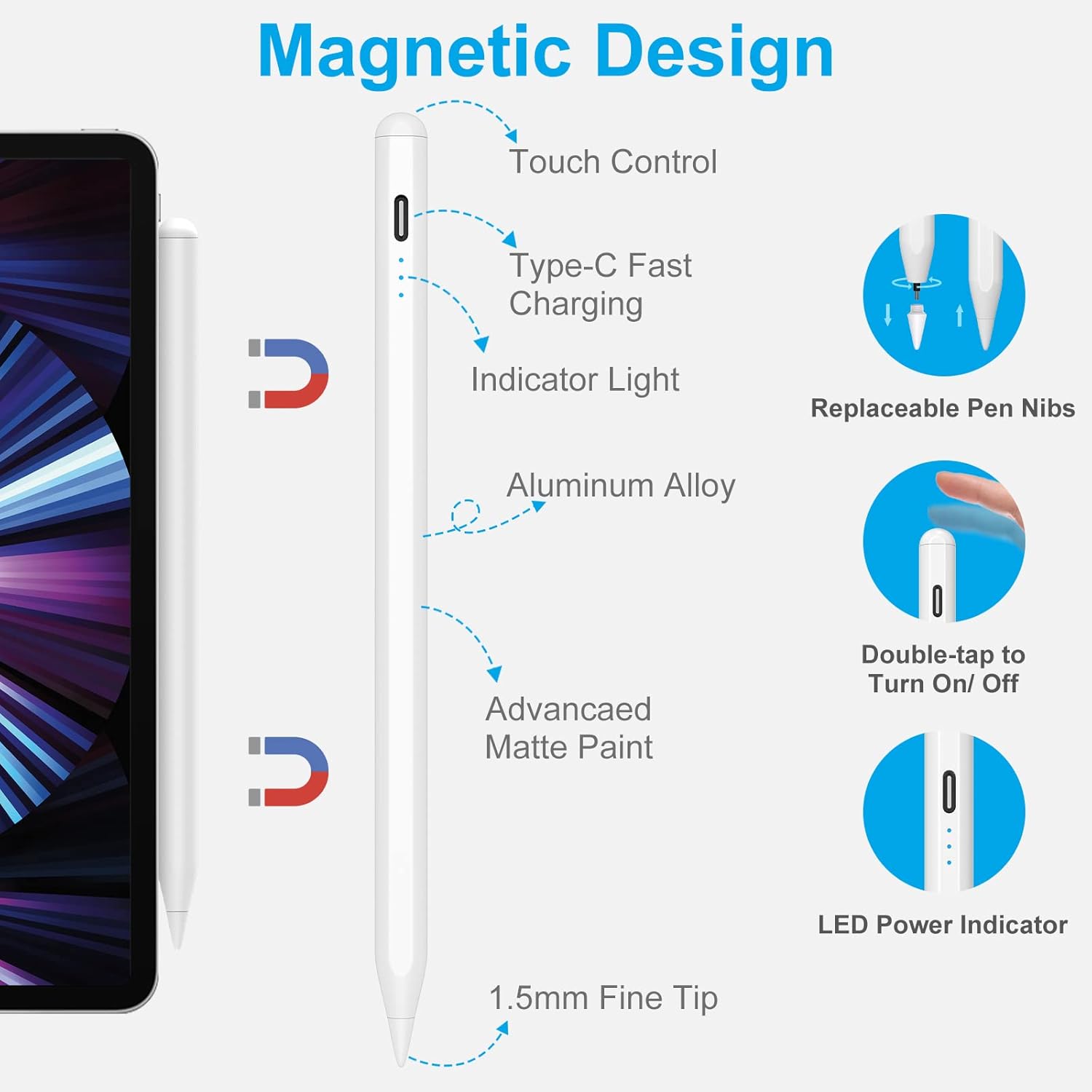
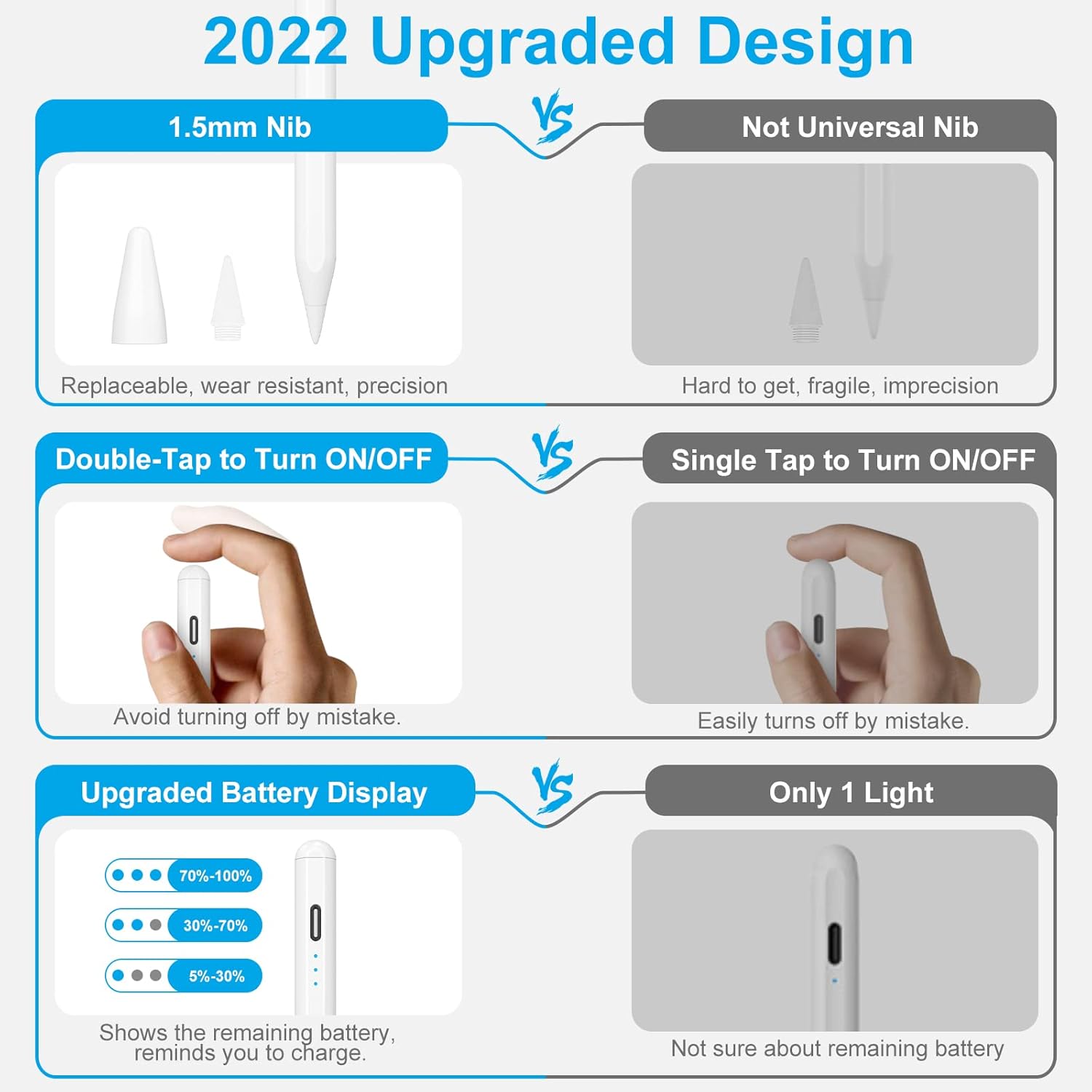
Double Touch to Wake up
Just double click to turn it on/off. No need to connect Bluetooth and APP settings.

Auto-off After 5 Minutes
“Sleep Mode” – automatically turns off after 5 minutes of inactivity to help conserve battery power.

Ultra-fine 1.5 mm tip
Comes with three spare tips. As precise as a real pen, no lag, no skips, no scratches.

Magnetic Adsorption
Note: *Not Support Wireless charging.* Only works with iPad Air 4/5, iPad Pro 11 (1st/2nd/3rd/4th), iPad Pro 12.9 (3rd/4th/5th/6th), iPad mini 6.

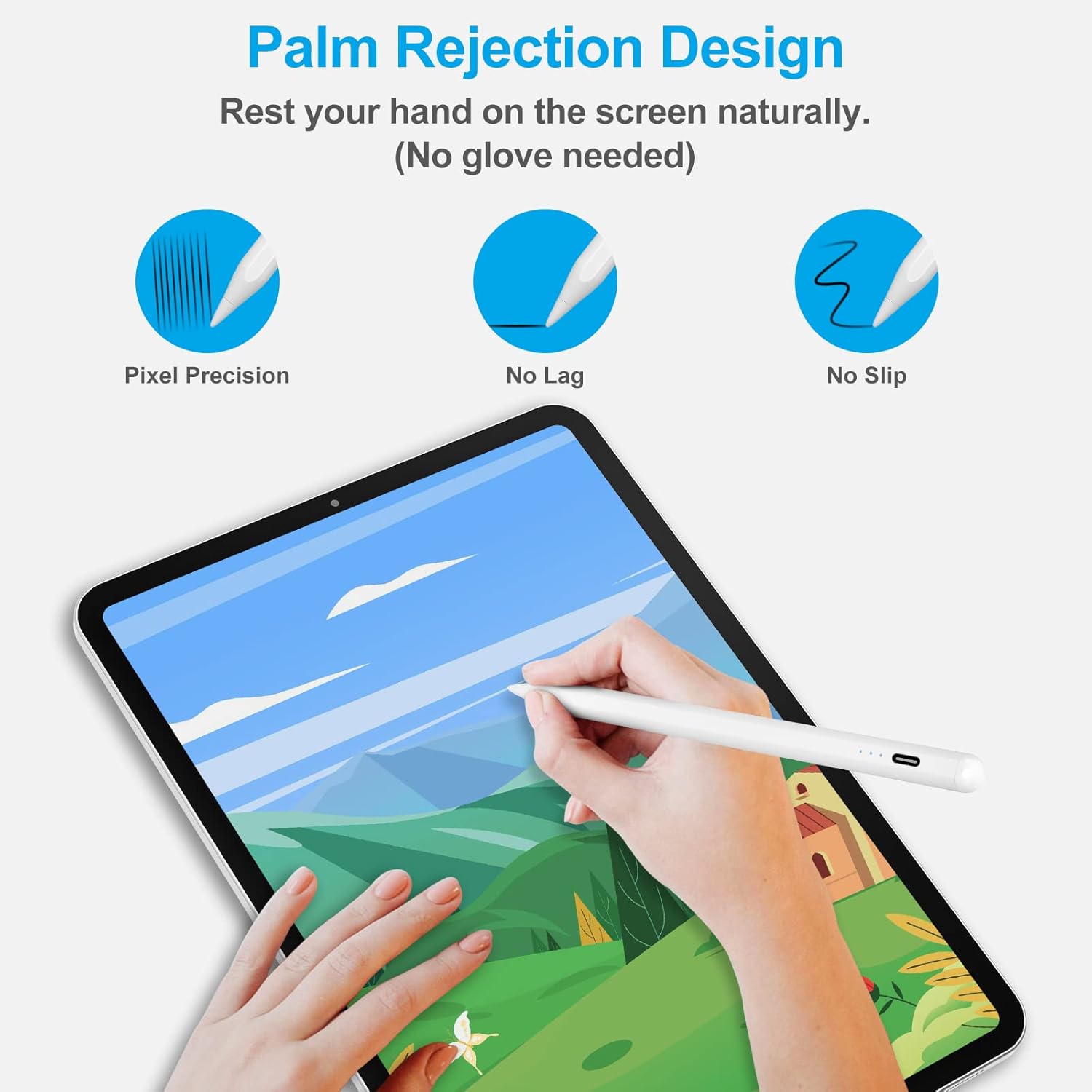
Palm Rejection
Get rid of the glove. Rest your hand comfortably on the screen while using the iPad Pencil.

Broad Compatible
Suitable for most writing and drawing applications. Makes freedom for writing and drawing.

NOTE:
1. Please confirm the device is iPad 2018-above.
2. Please ensure this iPad stylus has enough power before use.
3. The IOS system must be updated to iOS 12.2 or above.
4. If the stylus pen can’t work, please set your iPad or iPad Pro as follows:
Go to Settings > Apple Pencil > Turn off the Apple Pencil.
Settings > Notes > Turn off “Only Draw with Apple Pencil.

[Designed for Apple iPad 2025-2018] The stylus pen requires no Bluetooth connection—simply double-tap the top of the pen to turn it on or off. It is perfectly compatible with iPad Air (M2/2024, M3/2025) 11″/13″/5th/4th/3rd gen, iPad Pro 11″/13″ (M4/2024, M5 2025), iPad Pro 12.9″ (6th/5th/4th/3rd gen)/11″ (4th/3rd/2nd/1st gen), iPad 11th Gen A16 2025/10th/9th/8th/7th/6th Gen, and mini 7th Gen A17 Pro/6th/5th Gen. It is not compatible with iPad Pro 12.9″ (1st and 2nd gen), Android tablets, iPhones, or Microsoft devices.
[Palm Rejection] The stylus for iPad with palm rejection provides a natural writing feeling. You can rest your hand comfortably on the screen like on paper, giving you more accuracy and control against the screen.
[High Precision & Tilt Feature ] The iPad stylus uses an ultra-fine 1.5 mm tip that can accurately draw lines of varying depths and thicknesses depending on the angle and intensity of the writing. Free to create like using a real pencil, the iPad pencil is good for drawing, sketching, taking notes, and more. No Pressure Sensitivity Function.
[Auto-Sleep Function & Fast Charge] The stylus automatically enters sleep mode after 5 minutes of inactivity to save power and wakes with a double-tap. Equipped with 3 LED indicators for battery status. Supports fast charging for less waiting and longer working time.
[Pakage List]the package included Pen tip 3*, stylus*1, pen cap*1, pen plug*1, fast charging cable*1, user manual*1. If you have any questions please contact us don’t hesitate via email.


