
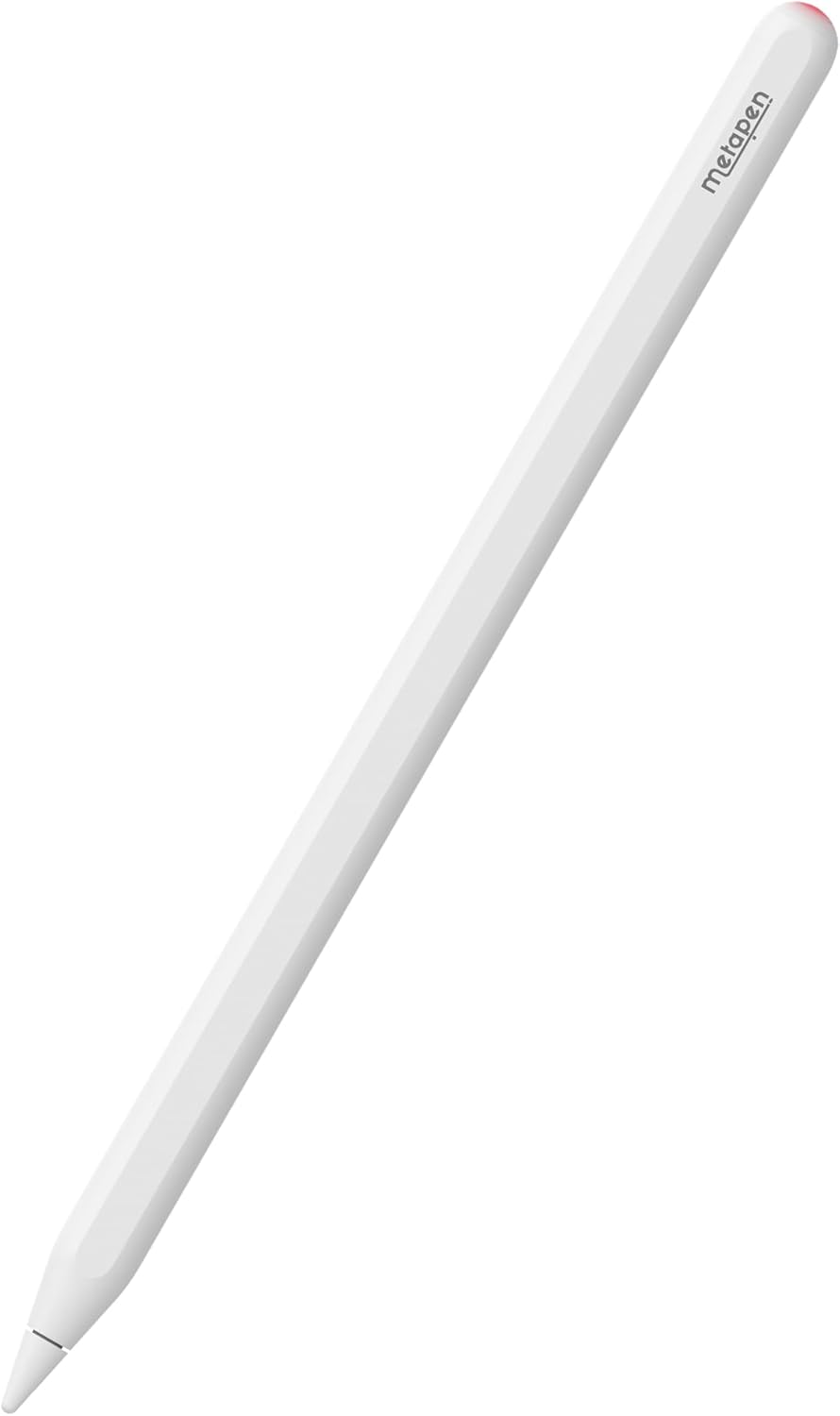
Metapen A14 iPad Pencil 2nd Generation (Magnetic Wireless Charging&Shortcuts) Only Compatible Apple iPad Pro 11″ 1/2/3/4Gen,12.9″ 3/4/5/6Gen, iPad Air4, Stylus Pen for iPad mini 6 with Palm Rejection




Price: $19.99
(as of Dec 31, 2025 22:32:08 UTC – Details)

Product description

The video showcases the product in use.The video guides you through product setup.The video compares multiple products.The video shows the product being unpacked. hero-video Merchant Video
Crafted with precision and premium materials, Metapen A14 offers exceptional durability and longevity. Invest in a stylus that not only delivers on functionality but also stands the test of time, giving you peace of mind and ensuring a long-lasting creative companion.


 Experience the ultimate travel companion
Use Metapen A14 to jot down ideas, sketch, and navigate while on the go.

Unleash your academic potential
Maximize your study sessions with A14. highlight, annotate and organize your digital notes.

Ignite your creativity for art beginner
Great for digital art beginners to discover the endless possibilities of digital art with A14.

Streamline your document management
Simplify the signing process to effortlessly sign files, contracts, and forms on your iPad.
1 Travel
2 Study
3 Digital Art Starter
4 Sign & Mark up
Does A14 have auto turn off, scribble, quick screenshot and note function?
Yes! A14 will auto turn off in 5 minutes of inactivity. You can also presss the top button for 3 seconds to turn off! Turn on Settings > Apple Pencil >Pencil Gesture/Scribble to get these functions.
Can Pencil A14 pull down control center?
NO. No active pencils including the original iPencil can pull the control center down, notification bar down or swipe up between apps.
Does A14 have pressure sensitivity?
NO. The original USB-C iPencil and all 3rd party pencils have no pressure sensitivity. A14 can seamlessly work with apps like Procreate Goodnotes imitating pressure sensitivity with the brush effects and adjusting brush size, flow capacity etc.
Can Pencil A14 work for iPad number series like iPad 9th/10th generation?
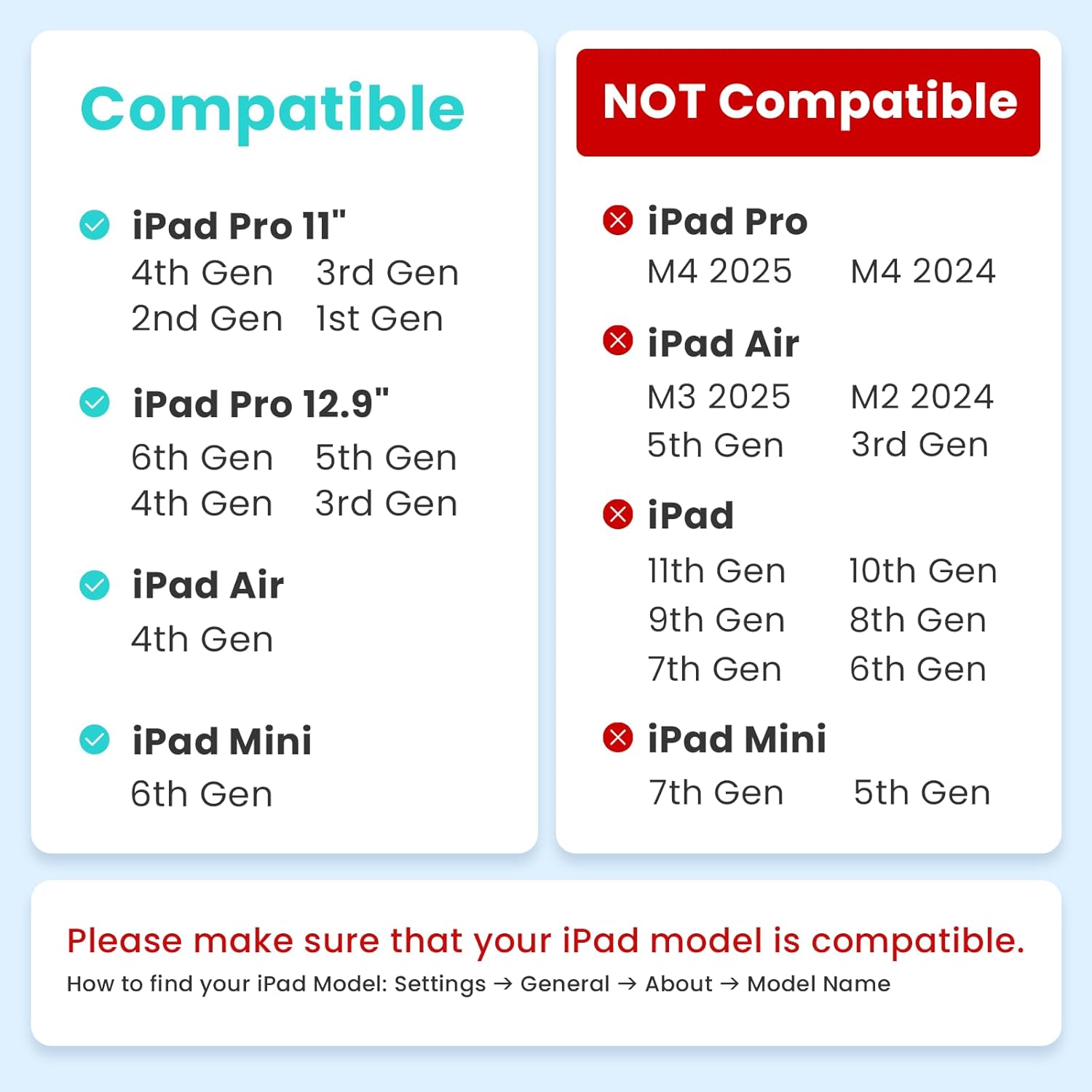
NO. metapen Pencil A14 which is wirelessly charged by iPad can only work for iPads with wireless charge support. Please comfirm the compatibility before your purchase.
How to stop my fingers to draw?
Your fingers won’t draw when you are using A14 which has Palm Rejection. To ignore hand input and only draw with A14, please go to Settings > Apple Pencil > Turn on “Only Draw with Apple Pencil” (iOS 14+ available).
【Specialized with Wireless Charging Support】Please confirm your device model before purchasing and refer to the compatibility list. The Metapen Pencil A14 is only compatible with: iPad Pro 12.9″ 6th/5th/4th/3rd generation; iPad Pro 11″ 4th/3rd/2nd/1st Gen; iPad Air 4th Gen; iPad Mini 6th Gen. If you are unsure about your model, feel free to contact us
【Pencil A14, Unlock Your Creativity】Experience incredible 0.1 mm precision, quick responsiveness, and palm rejection with the Metapen Stylus A14 — immerse yourself in learning and creativity with no lag or breakpoints. The A14 also makes a perfect gift for anyone exploring their artistic talents, and is a must-have for beginners
【Charging Made Wireless & Effortless】Say goodbye to the hassle of outlets and cables. Two strong magnets keep the A14 securely attached to your iPad, even on the go. Enjoy stress-free creativity and study sessions, knowing your Stylus A14 will always be charged and ready
【Hotkey Shortcuts, Easy Multitasking】Pair seamlessly via Bluetooth with a single press of the top button to return to the home screen. Double-tap to access the app switcher instantly. Effortlessly navigate between apps and functions, making multitasking easier than ever
【Check Battery Instantly with Widget】With the instant battery indicator, you can stay focused on your work without worrying about power. How to add the battery widget: Long-press any app icon > Tap Edit Home Page > Add the Batteries widget


![[Apple MFi Certified] Magnetic Wireless Charger Apple MagSafe Charger 15W Wireless Charging Pad 6ft Wireless Magnetic Charger for iPhone 16 15 14 13 12 11 Pro Max Plus/AirPods 2 3 4 Pro 2 3 [2 Pack]](https://i0.wp.com/m.media-amazon.com/images/I/51tKk1YZ2qL._AC_SL1500_.jpg?w=336&resize=336,220&ssl=1)
